
Overview
- View a list of all activities that have been started
- See activity progress
- Edit a users activity progress
- You can see all the progress of every activity even if multiple activities are attached to the same user
If you want to know about Understanding the User Section, please click the links!
What is covered
- Find the Activity Progress List page
- Understanding the Activity Progresses List page
- Understanding the Activity Progress Editor
- Useful Links
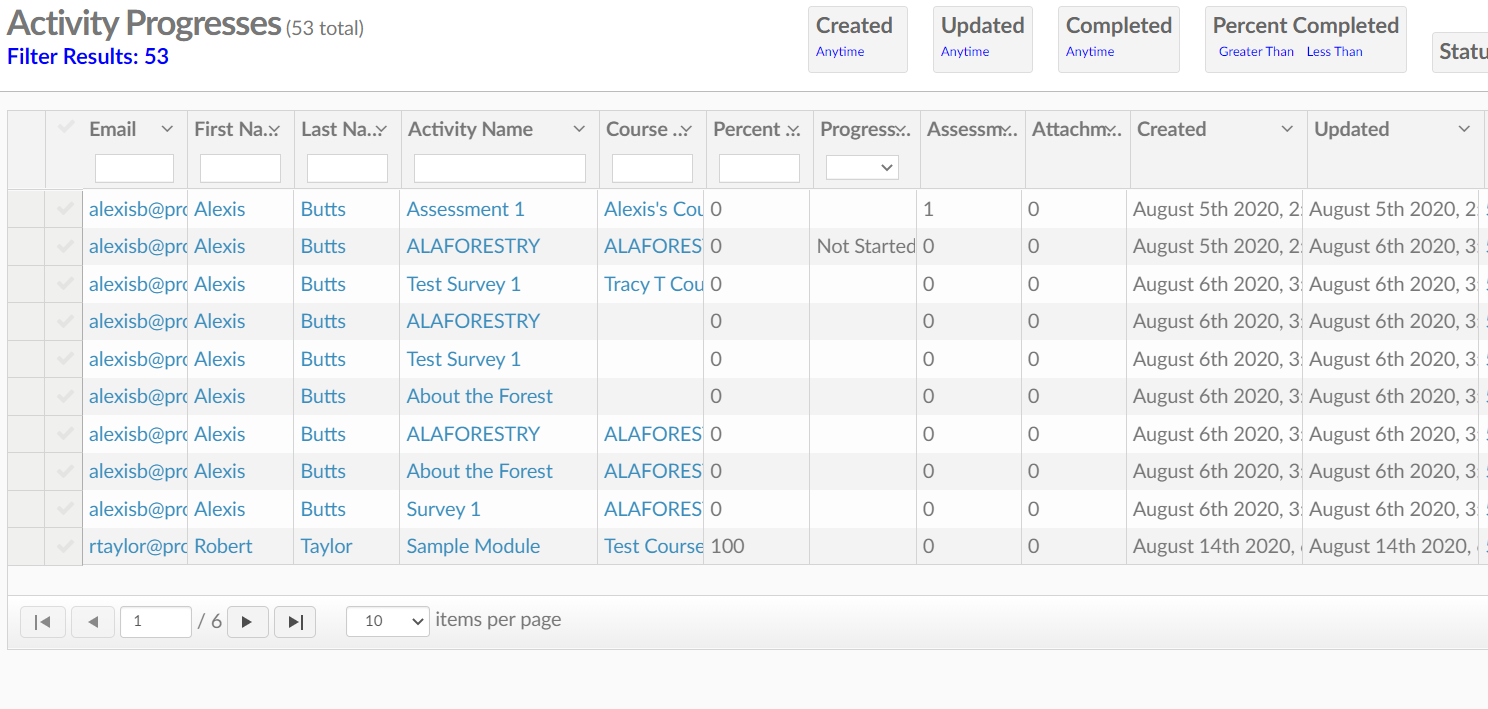
To find Activity Progress
Go to Menu--->Users---> Registrations---> Activity Progresses
Activity Progress Lists Page Breakdown
This section is sorted by activities. Every time a student enters an activity to complete it or partially complete it will show up here.
- Email, First Name, Last Name
- Clicking on these will take you to the user profile
- Activity Name
- Click on this to view the student's activity progress
- Course
- Click this to view the user's course progress
- Percent
- How much of the activity has been completed
- Progress
- In progress, completed, passed, failed, under review, approved, denied, incomplete, or times chosen
- Assessment Attempts
- How many times the assessment has been taken
- Attachments
- how many attachments are linked
- Created
- When the video was created
- Updated
- When the video was last updated
- ID
- The activities specific creation ID
- Owner
- Who created the activity?
Into the Activity Progress Editor
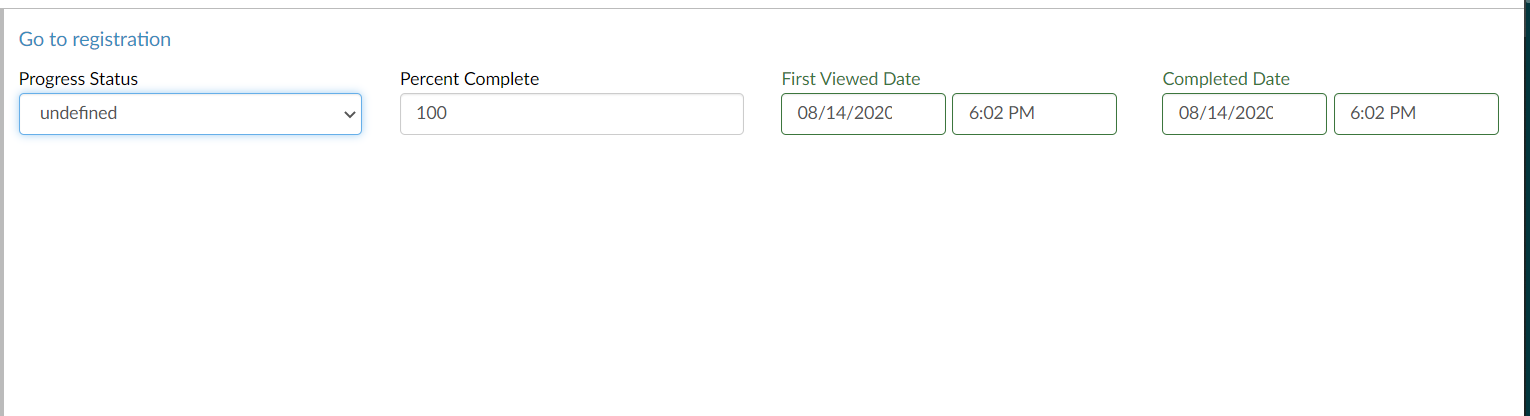
On this page, you will see when they first viewed the activity, and when they completed the activity.
The Progress status will give you or display several options: Undefined, In Progress, Completed, Passed failed, Under review, approved, denied, Incomplete, or Times Chosen. The student will be able to see this and understand what is happening with their course or activity.