
Overview
- See all registrations to every single course
- Click on the course to edit for a specific user
- Clicking on the User will take you to their profile
- You can register users in bulk on this page
If you want to know about Understanding the User Section, please click the link!
What is covered
- Find the Registrations list Page
- Understanding the registrations List page
- Viewing a course registration
- Other useful information
- Useful links
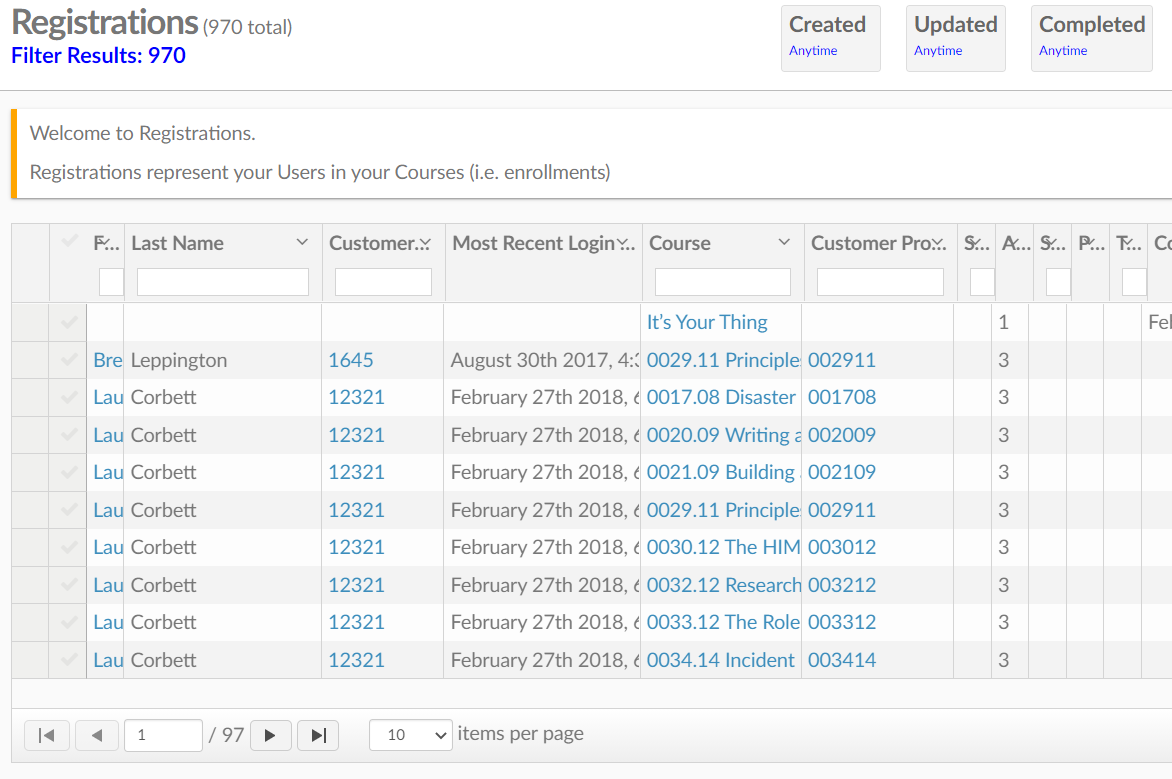
Find the Registrations List
Go to Menu---> Users---> Registrations
Registrations List Page
- First/ Last name
- Customer Member ID
- Most recent login
- Course
- (You may see some users multiple times because of the multiple courses they are in. As seen in the above photo)
- Customer Product ID
- Status of the course
- Finished/ In progress
- Percent complete
- (How much of the course they have completed
- Type of course
- Completed
- When the course was finished
- Time Completion
- How long it took the student to complete the course
- Expired
- If the course has expired (Users (non-admin) can no longer access)
- Created
- When the user was registered to the Course
- Updated
- When the course product was last updated
- Users ID code
- Owner
- Who registered the user?
Into the Registration
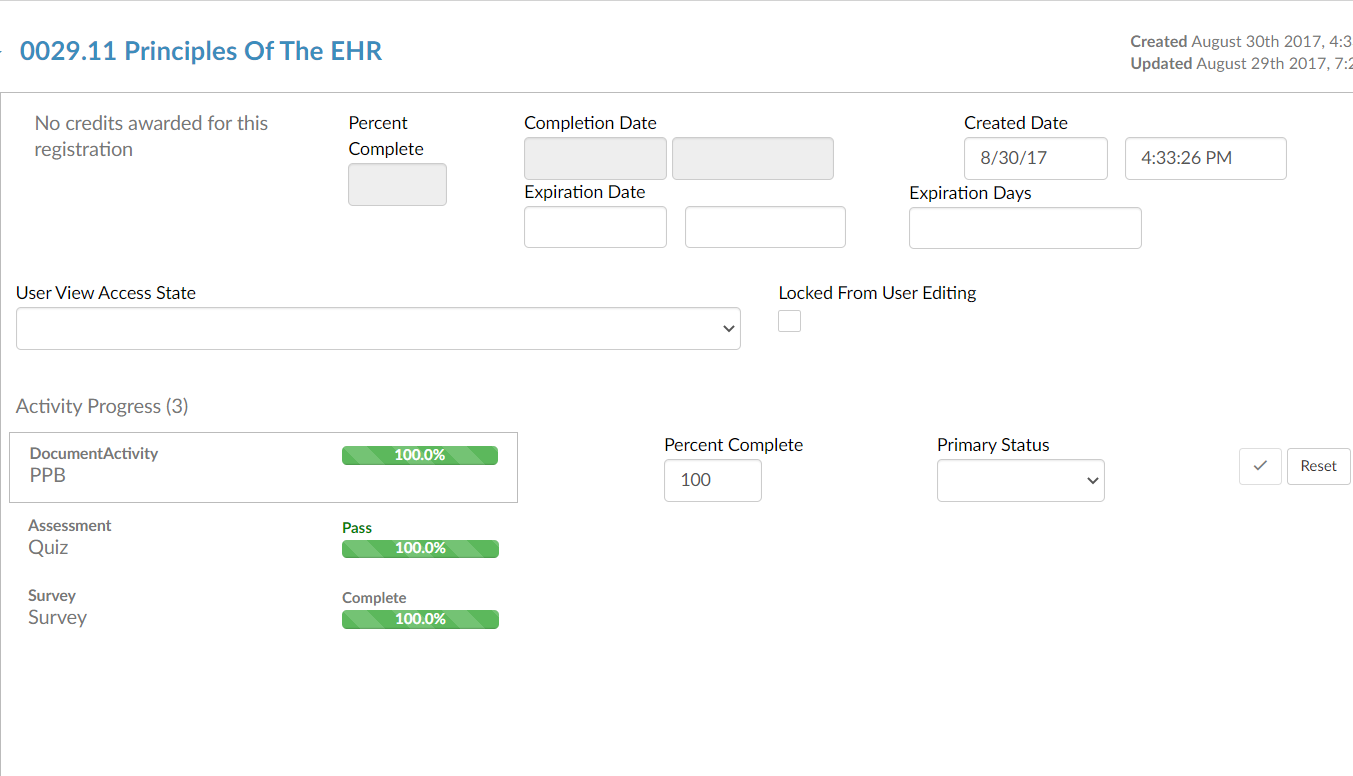
If you click on the User name or Customer Member ID it will take you to the Users profile. If you click on the Course it will take you to the above page.
On this page (the edit tab) you can edit any part of the course for them. Change the activity progress of any activity in the course.
Other Useful information
In the Expiration Days page, you can put in a number of days from which you want access to the course to expire for the user. So, if you have reset a quiz for a user you can put 3 days in the Expiration Days section. The student will then have 3 days to complete that quiz. Of course, you can also set this for a course in general.
- On the left-hand side of the page, there is also a Credits Awarded and User Assoc Links Tab.
- Credits Awarded
- You can see what credits the user a gained by completing the selected course
- User Assoc Links
- You can see other users that are linked to the selected course
- Credits Awarded