
Overview
- Search all user
- Add new users
- Change users role
- This page has all user that are or ever have been registered to your site
- Use this page to add or delete members
If you want to know about Learn about Registrations or Content Creation, please click the links!
What is covered
- Finding the Users list page
- Users List page breakdown
- Understanding the User profile
- Useful Links
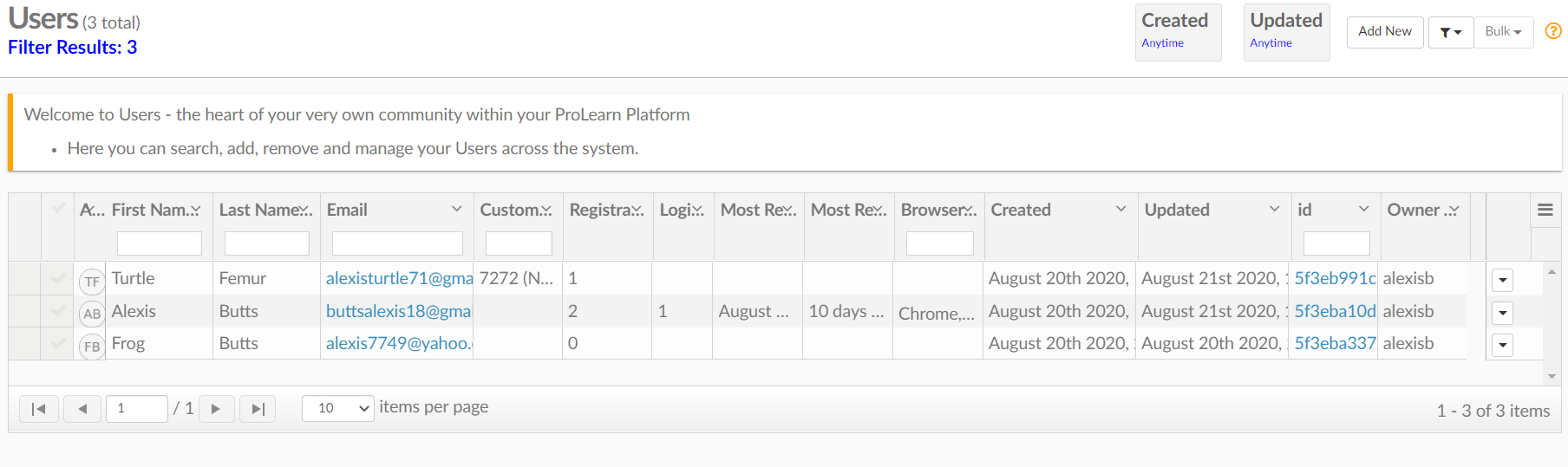
Find the Users list page
Go to Menu---> Users---> Users
Users List Page Breakdown
On this page, you can search all users.
You can add new ones, make them Administrators, Report Users, or Course testers.
The Users are listed by their First and Last name and then their email.
Each user also has a custom registration number.
You can see how many courses they are registered to, how many times they have logged in, their most recent login, most recent activity, the browser they are using, when their user was created, their general ID Code, and the user that created them.
Into the User Profile
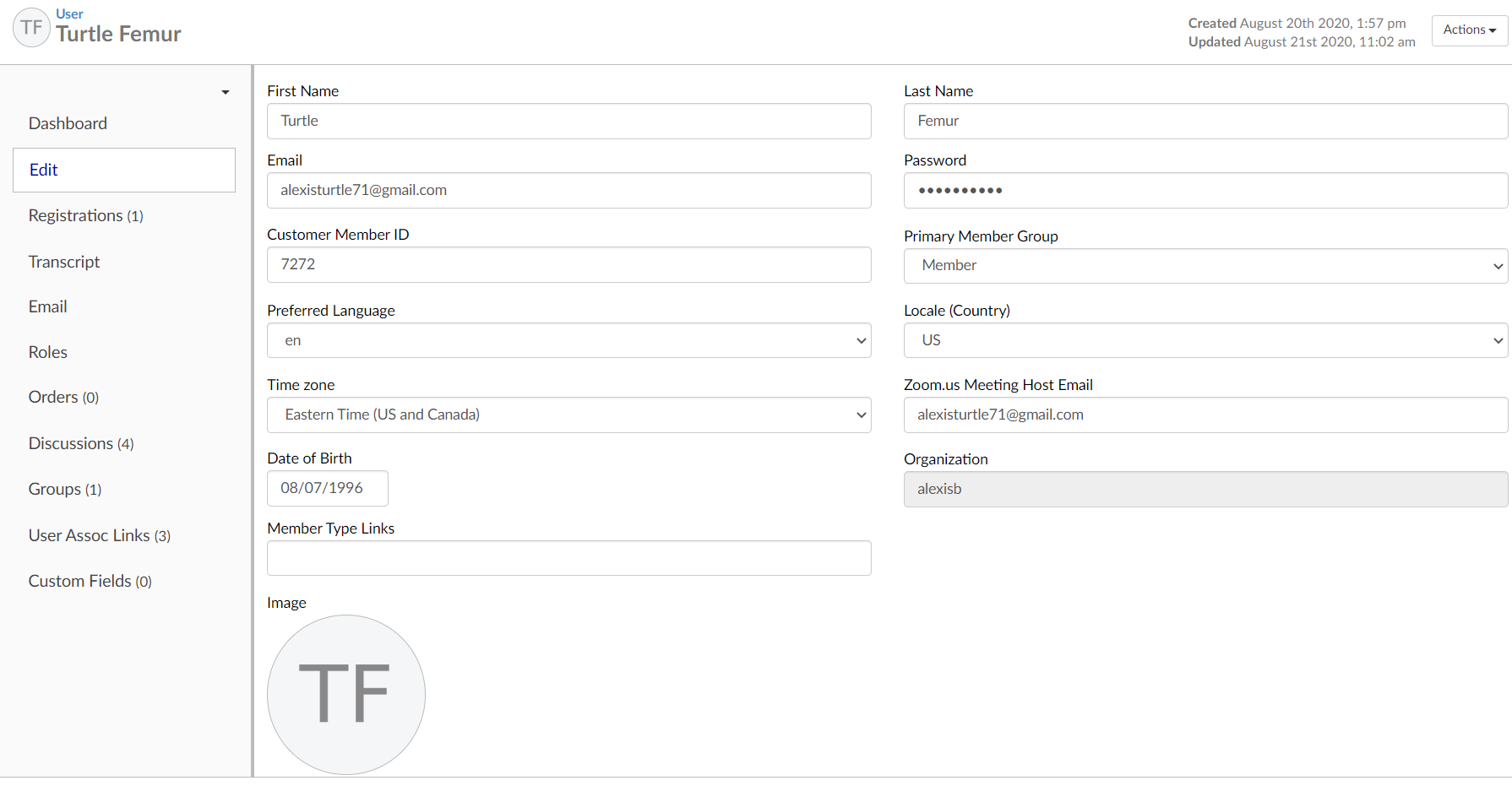
As an admin, in a user's profile, you can change their login in information like their email, member ID, and the language they prefer. Here we will go through each section of the user profile.
Registration
You can see what classes a user is registered to. If you click on the class you can go in and edit their progress or send them a certificate if they lost it. You can also register them or delete a course for them.
Transcript
Here you can keep track of the courses a user has taken. You can also add or take away credits if necessary, print, email, or send it to the student.
Here you can see all emails sent to the User.
Roles
Here you can change the roles of the User. Admin, Course Tester, and Reports User. You can also add your own or use premade ones from the drop-down System Roles list.
Orders
You can see all of the courses a user has purchased and if you have other products for purchase you can see those purchases show up her too and edit what you need.
Discussions
All the discussions this User is a part of will show up here. You can link them to or unlink them from discussions too.
Groups
What groups the User is a part of will show up here.
User Assoc Links
You can link a user to a course or unlink them here.
Custom Fields
Here you can add any necessary extra information through simple formatting.