
Overview
- Assign roles to users
- Assigning roles gives users certain capabilities
- Admin, Teach, Speaker, Student, etc.
- Assigning roles helps to differentiate users in courses and in zoom meetings
If you want to know about Understanding the Users Section, please click the link!
What is covered
- Roles List Page Breakdown
- Creating A Role
Roles List Page Breakdown
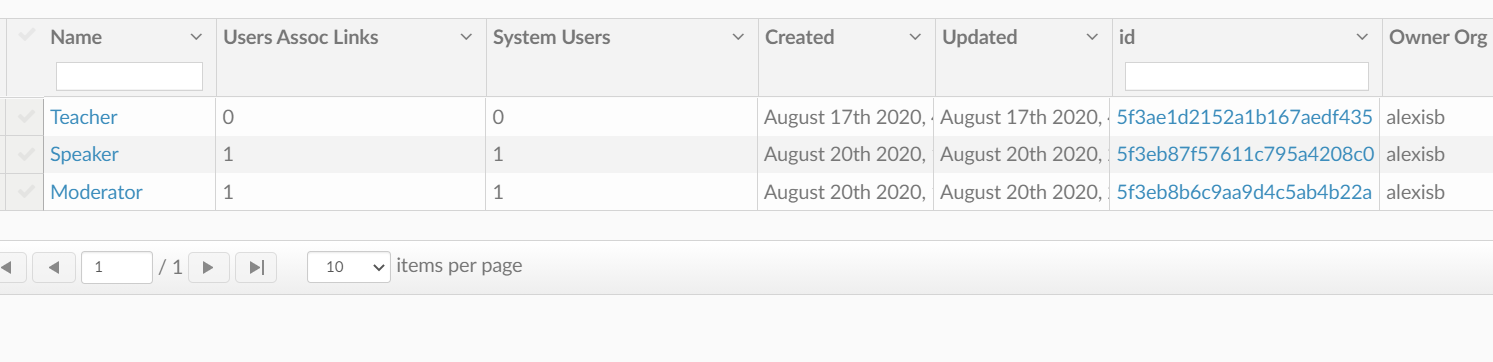
On this page, you can view the Roles that you have made. You can add these roles to user profiles so different users can know who is an admin, student, teacher, and the like.
For each Role you will see:
- Name
- Name of the Role
- User Assoc Links
- How many users are linked to the role
- System Users
- How many system users have been assigned to the role
- Created
- When the role was created
- Updated
- When the role was last updated
- ID
- The roles creation ID code
- Owner Org
- Who created the role?
Creating a Role
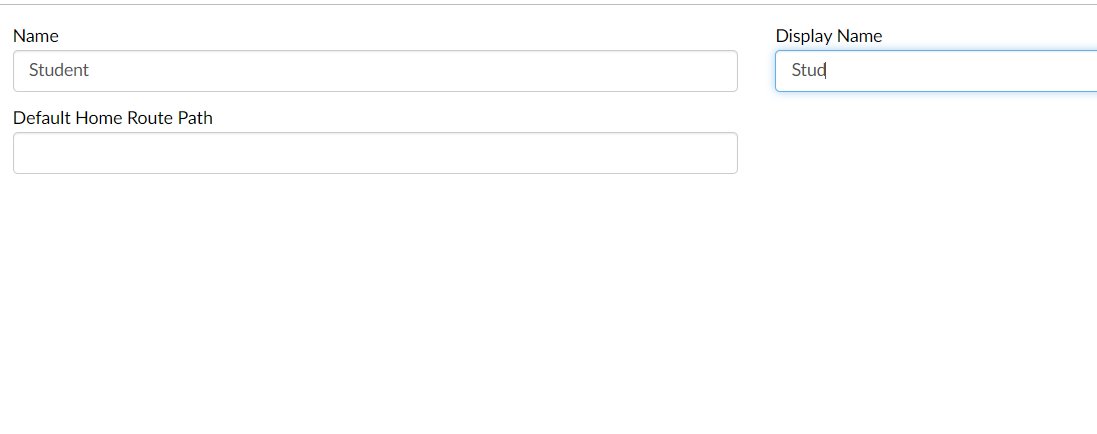
To create a new Role just enter the Name and the Display name. Then save.
After that, you can Go to the User Assoc. Links tab and select users to associate with the role you created.
Have fun creating!