
Overview
- Get an in-depth breakdown of the orders section
- Here you can see all the orders that have taken place on your site
- This will show the purchase or not only Courses but any other products you have listed
- If a user has their order ID this page makes it easy to find the order
Want to learn how to Create a Course, please click the link.
What is Covered
- Getting to the Orders Page
- Breakdown of the Orders List Page
- What to do with the Orders Page
Getting to the Orders Page
Go to Menu---> Store & Commerce---> Orders
Orders List Page Breakdown
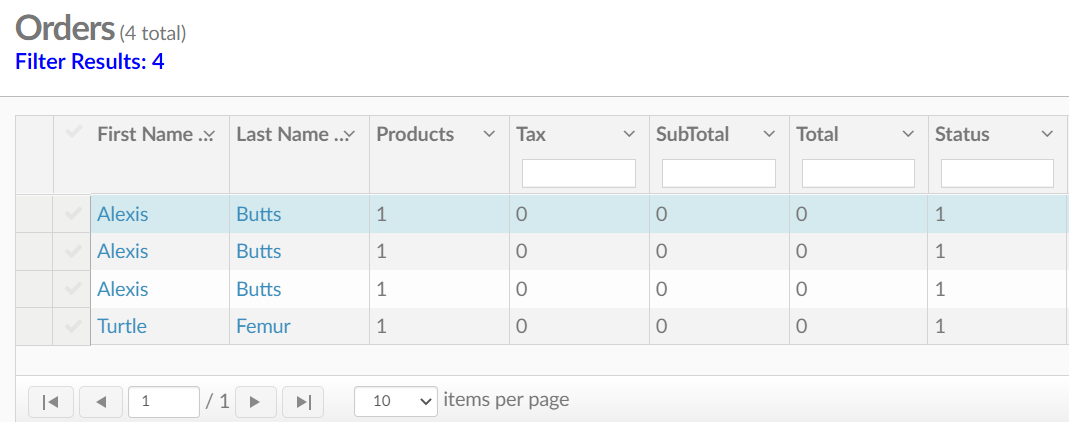
What you will see on the Orders list page:
- First and Last Name
- Products- How many products were ordered
- Tax- The tax applied
- Subtotal
- Total
- Status
- Created (date)
- Updated- last day it was updated
- ID-Unique creation ID
- Owner- who processed the purchase, usually an admin on the site.
What can you do with this page?
On this page, you can see all orders that have been placed on your site. If you click on the ID it will take you to the order receipt. Clicking on the User's first or last name will take you to their profile where you can also view the purchase under the orders tab.
Have fun creating!