
Overview
- Learn how to use the Course Registration Summary List
- View all your courses and the registration to them
- Edit a course by clicking on it on the ID code
- Get a quick overview of how many people have used and are using your course.
If you want to know about Creating a Course or Creating an Activity, please click the links!
What is Covered
- Breakdown of the Course Registration Summary List
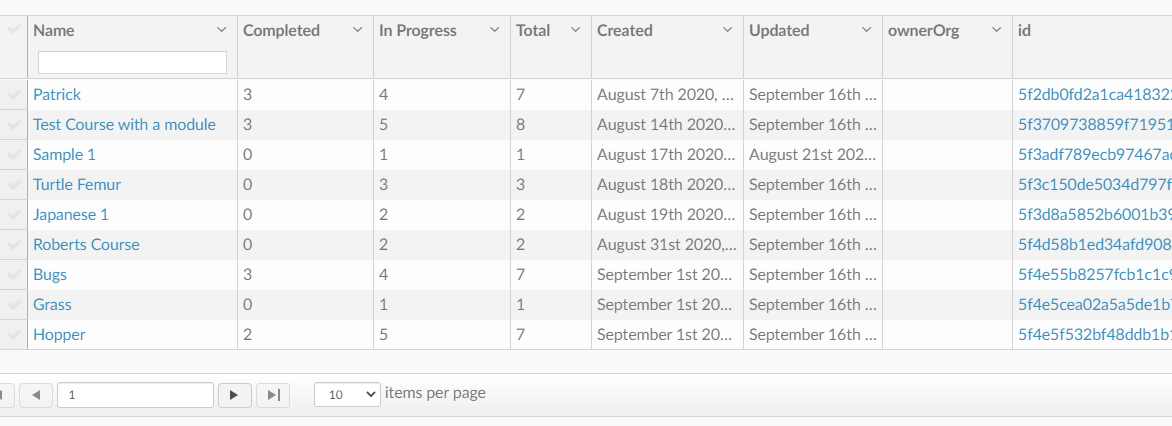
Getting to the Course Registration Summary List
Go to Menu---> Analytics---> Course Registration Summary
Registration Summary List Breakdown
You will see:
- Name
- Name of the course
- Completed
- How many users have completed the course
- In Progress
- How many users are still in the process of finishing the course
- Total
- Users in total who have started and/ or finished the course
- Created
- When the course was created
- Updated
- When the course was last updated
- Owner
- Who created the course
- ID
- Course unique Creation ID
Now you know how to navigate the Course Registration Summary Page
Have fun exploring the Analytics Tab!