
Overview
- Import Excel Files in the Import Center
- The Import Center is only for uploading Excel Files
- You can upload a lot of information at once.
- If you upload an assessment with questions the system will create an activity and individual questions for each one in the excel sheet
If you want to know about Creating an Excel Spreadsheet, please click the link!
What is Covered
- Importing an Excel File
Go to the Menu---> Configuration & Tools--->Bulk Import Tools
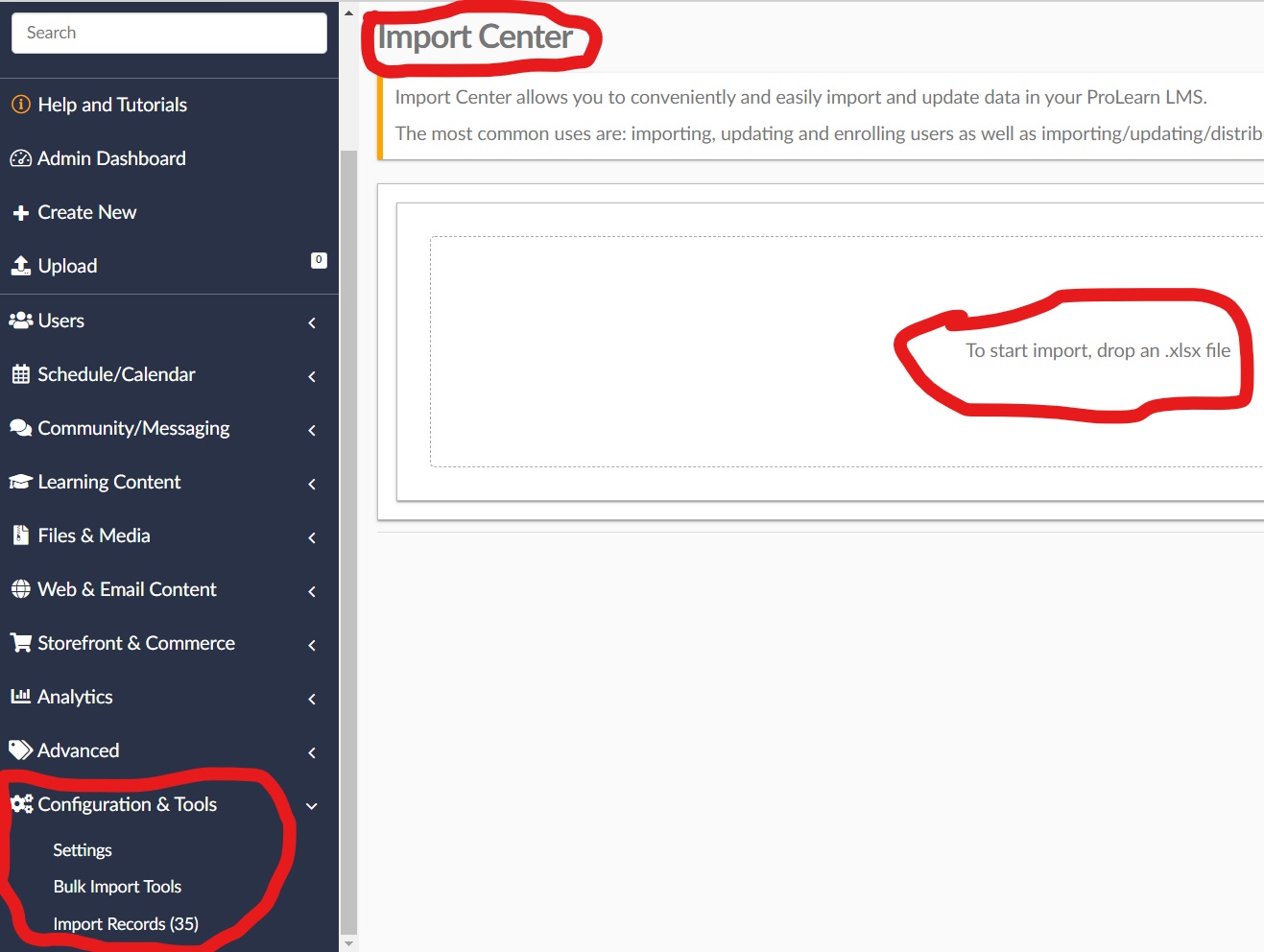
- Here you can ONLY IMPORT EXCEL FILES...
- Drag and drop a completed excel file to begin the import
- Next, you will get a preview of what is being imported
- If anything is wrong press the BACK button at the bottom, edit your excel file and start again
- If everything is correct, select upload
- You can click the links that show up after the upload to go to them directly.