
Overview
- This section Consists of the Files list, File Sets, and Zoom meetings
- These pages are where all of your uploaded content is held
- It can be easily reused for multiple content
- The search bar helps you find items you uploaded swiftly and is very helpful if you have many things uploaded.
If you want to know about Uploading Files or Creating a File Set, please click the links!
What is Covered
- Files list Page Breakdown
- Zoom Recordings Section
Files List Page Breakdown
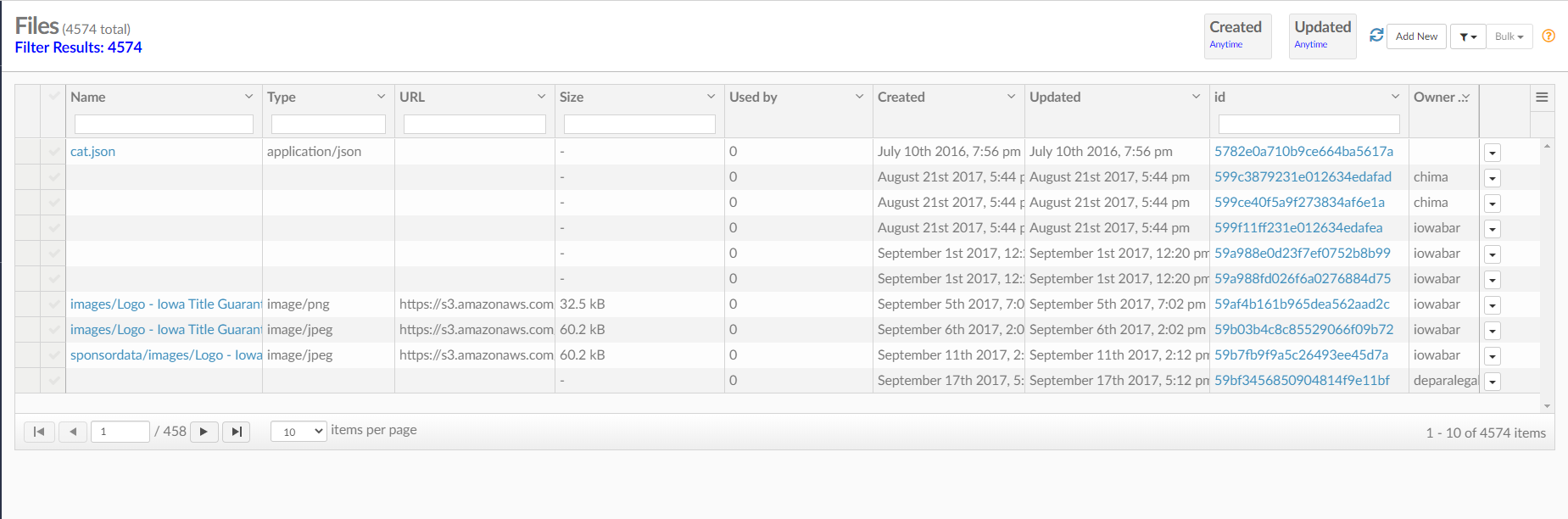
On the files page, you will find everything that you uploaded into the website. Here is a rundown of each section.
- Name-- Here is the name of your files.
- Type in a name to search.
- Be sure sure to clear it or else the search criteria will still be there the next time you open the window.
- Type- Her is the type of file: MP4, PDF, Word Document, Image/JPEG
- Type in the document type to search for a specific document type
- Items Per Page- How many files per page would you like to show
- URL- If the file had a URL it will show up here
- Size- The size of your file
- Used by- How many times the file have been used
- Created- When the file was created
- Id- The files unique ID code
- Owner- User that created/ uploaded file
- Items per page- Choose how many items you want to show per page
Zoom Recording under the Media and Files Section
Under the Media and Files section on the menu, there is also a subsection called, Zoom Recordings. All the Zoom meetings you record will be stored here.