
Overview
- Creating a survey is very similar to creating an assessment!
- The main difference is the options in the edit tab
- Create an Assessment
- Add it to a course
- Reuse it across the platform
If you would like to know about Creating Questions or Creating an Assessment, please click the link!
What is covered
- Create a Survey
- Link Questions
To create an assessment:
- Go to Menu--->Learning Content--->Activities
- In the top right-hand corner select Add New
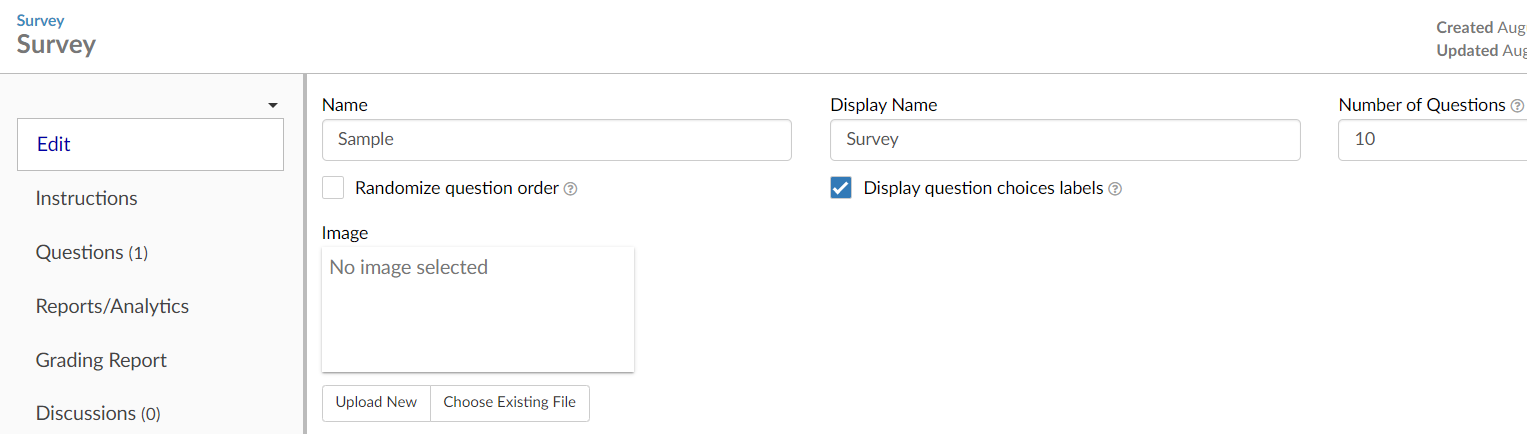
- Enter the Name, the Display Name, and Number of questions
- Press save
- Add a cover image (Optional)
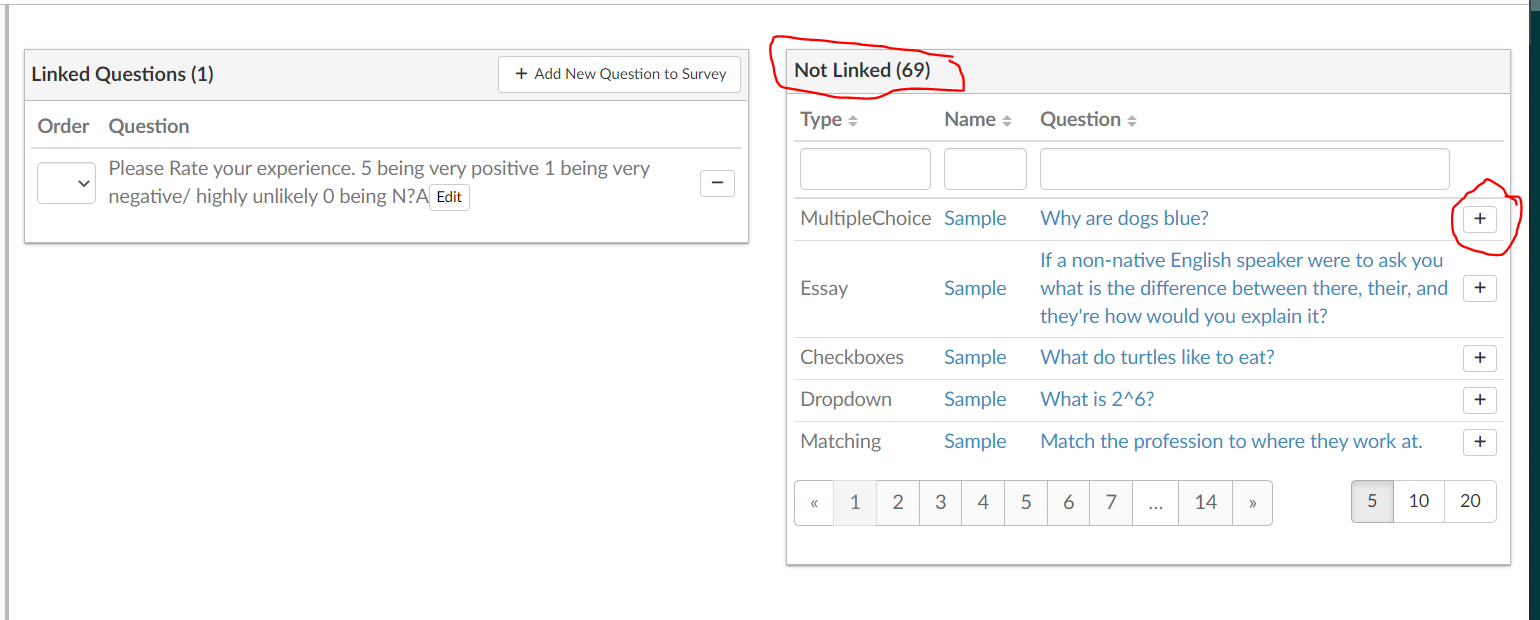
- Go to the Questions Tab
Link the questions that you want on your survey
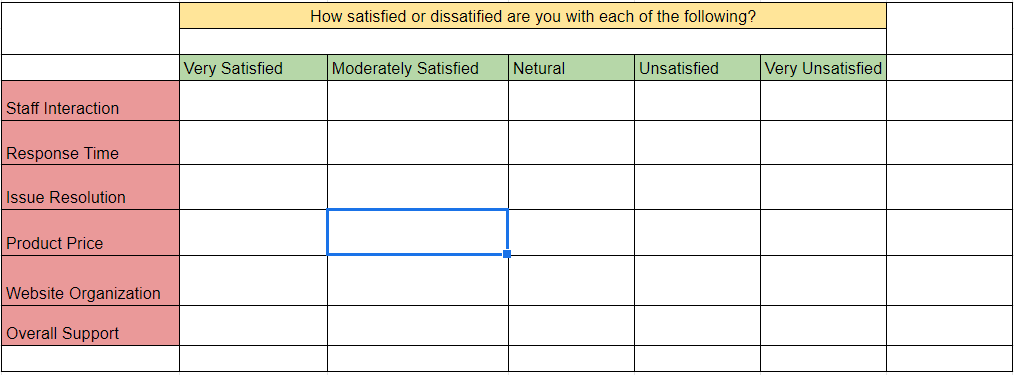
Matrix questions work very well for surveys (see below)
And you are done!
To learn about Sponsors, Courses, Credits, and Certificates please be sure to check out our other help content!